



Turquoise Purple Yearly Bill Payment Tracker with Amount Column - Printable
Turquoise Purple Yearly Bill Payment Tracker with Amount Column - Printable
Couldn't load pickup availability
- File(s) will be available for download immediately after purchase.
- Digital file(s): No physical goods will be sent.
Share
DESCRIPTION
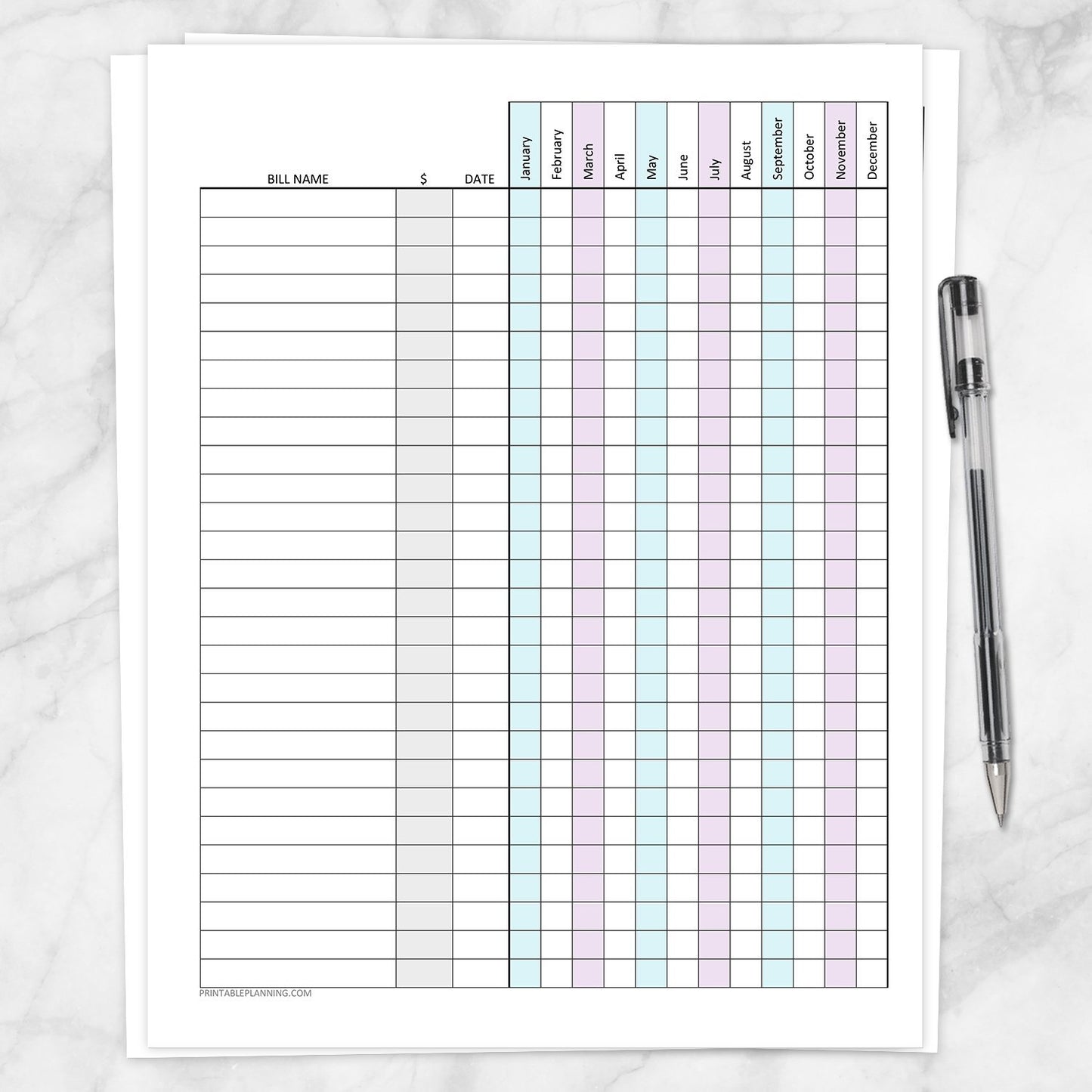
Paper statements, emailed notices, automatic withdrawals, and online account reminders can make monthly bill information difficult to view in one place. This Turquoise and Purple Yearly Bill Payment Tracker with Amount Column brings recurring bills together on one printable page so you can see what is due, what has been paid, and what should be handled next.
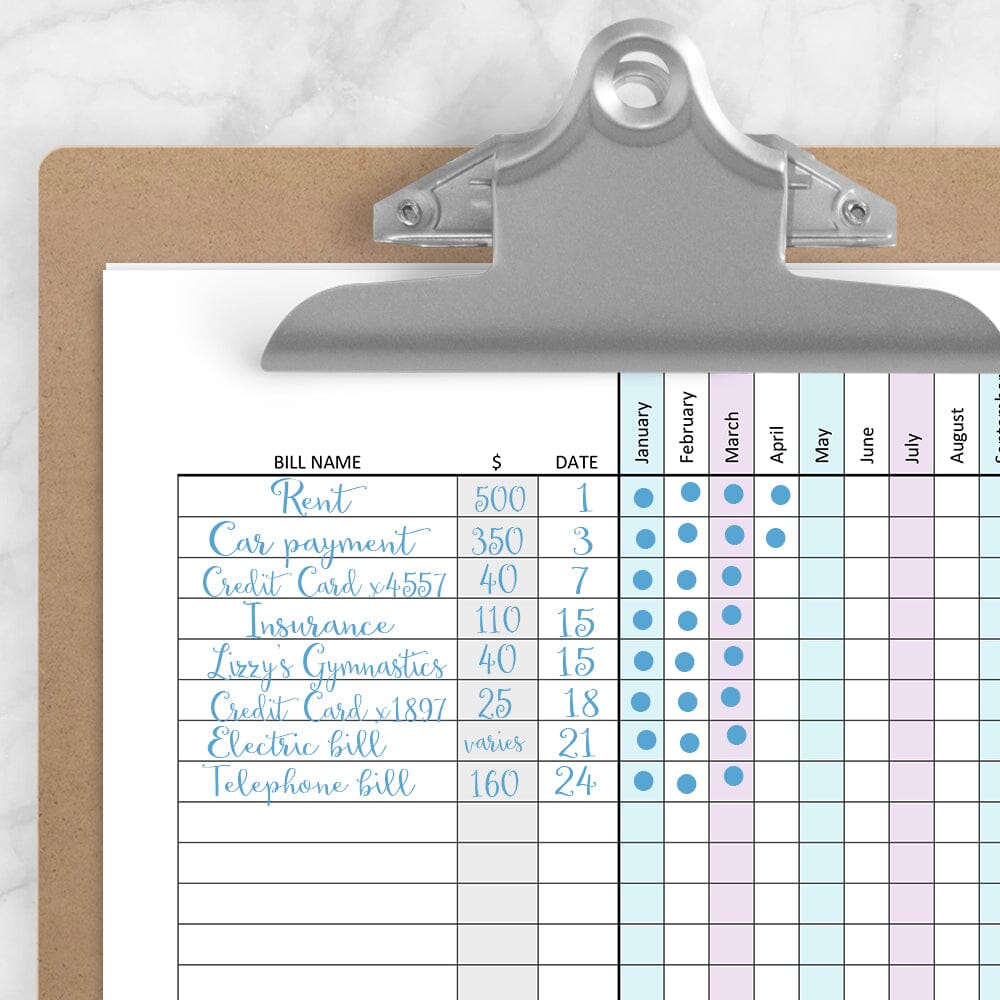
Enter the bills in the order their due dates occur each month. Once arranged, the tracker becomes a repeatable payment route you can follow from the beginning of the month to the end, with January-through-December boxes for recording progress throughout the year.
Arrange Bills in Monthly Due-Date Order
Begin by gathering the recurring bills and expenses you need to track. Arrange them from the earliest due date of the month to the latest, then enter them on the page in that same order.
Once the tracker is set up, the rows become a practical monthly bill-paying guide. Start at the top, review each payment in sequence, and move down the list as the due dates approach.
Track January Through December on One Page
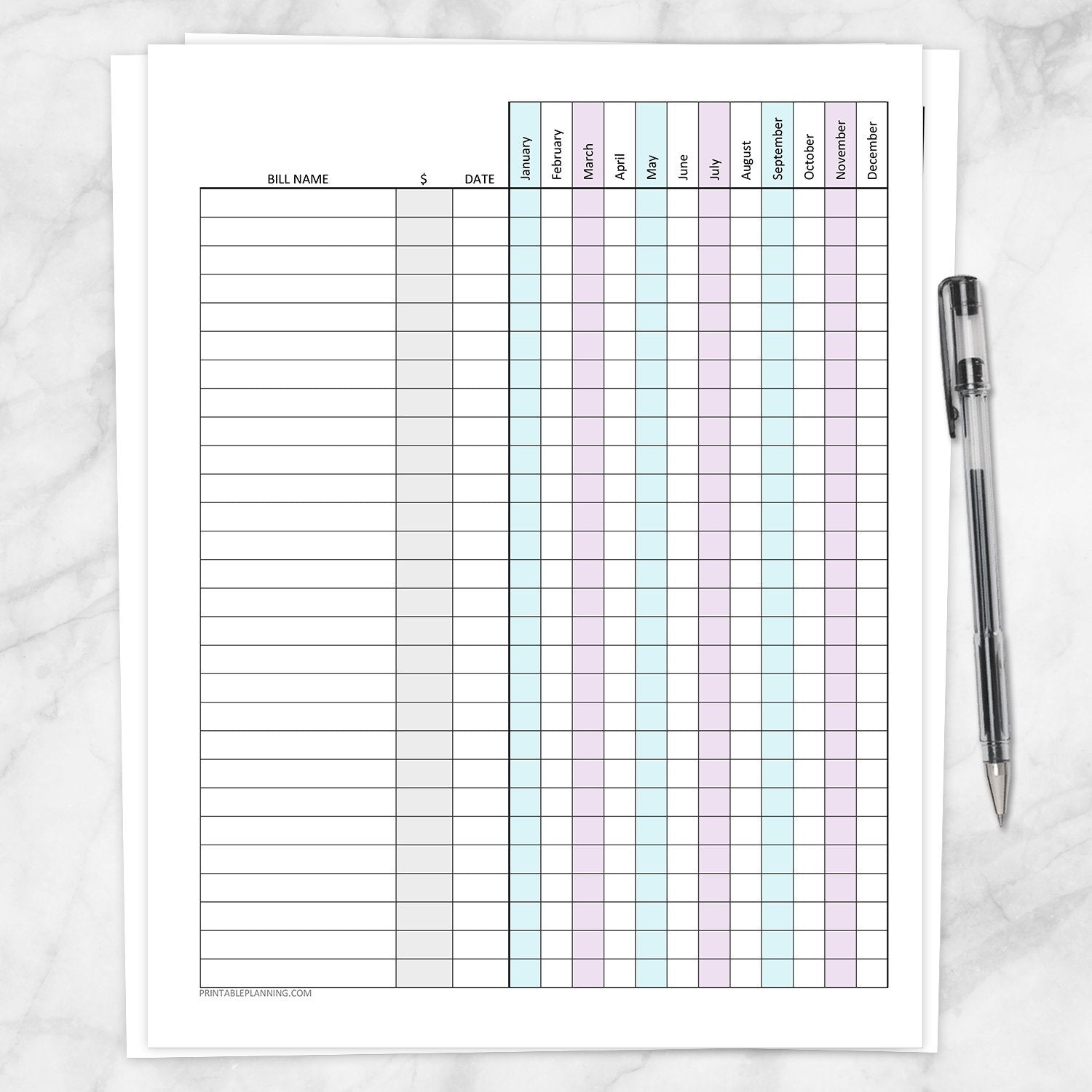
Every bill has one row extending across all 12 months. This gives you a full-year view of recurring payments without requiring a separate bill list for each month.
After paying a bill, mark the appropriate monthly box with a checkmark, X, dot, payment date, or another method that works for you. Boxes that remain blank are easy to notice when reviewing payments that may still need attention.
See Which Bill Comes Next
Because the bills are arranged in due-date order, the tracker does more than record completed payments. It also shows you which bill should be handled next.
Scan across a row to review one bill’s payment history for the year, or look down the current month to see which payments have already been completed. Review the full page from top to bottom whenever you need a clear monthly payment sequence.
Optional Amount Column
The amount column can be used for bills with fixed, typical, or predictable payment amounts. Enter an amount when it provides a helpful reference, or leave the space blank for bills that vary from month to month.
Variable expenses such as utilities, credit cards, or medical payments can still be included in the due-date sequence even when the amount column is left empty.
Turquoise and Purple Monthly Columns
Alternating turquoise, purple, and white columns help visually separate the months. The color pattern makes it easier to follow each bill across the January-through-December grid without distracting from handwritten payment marks.
The amount column is shaded gray so it remains visually separate from the bill name, due date, and monthly payment sections.
Keep Recurring Charges Visible
Monthly subscriptions and automatic charges can be easy to overlook when they appear in different emails, online accounts, or bank transactions. Writing them on the tracker keeps them alongside your other bills so they are less likely to feel like unexpected charges.
Use the page for recurring expenses such as:
- Rent or mortgage payments
- Electric, gas, and water bills
- Phone and internet service
- Insurance premiums
- Credit card payments
- Car and personal loans
- Medical payment plans
- Childcare or tuition
- Streaming services and software subscriptions
- Memberships and other household bills
Great For
- Listing bills in monthly due-date order
- Following a clear payment sequence throughout the month
- Seeing paid and upcoming bills on one annual page
- Recording optional fixed or typical payment amounts
- Managing both predictable and changing expenses
- Keeping subscriptions and automatic payments visible
- Household finance binders and budget planners
- Pen-and-paper bill organization
Product Features
- One-page yearly bill payment tracker
- Columns for bill name, optional amount, and due date
- January through December payment tracking
- Individual monthly box for every recurring bill
- Alternating turquoise, purple, and white monthly columns
- Gray amount column for easy visual separation
- Undated format for use during any calendar year
- Designed to be completed by hand
- Print a new copy each year or whenever needed
How to Use
- Gather the recurring bills and expenses you want to track.
- Arrange them from the earliest monthly due date to the latest.
- Write each bill on the tracker in that same order.
- Add the regular due date.
- Enter a fixed or typical amount when helpful, or leave it blank.
- Mark the appropriate monthly box after each payment is completed.
- Review the page from top to bottom to see which bill is due next.
Specifications
- One printable PDF page
- US Letter size: 8.5 x 11 inches
- Turquoise, purple, gray, black, and white design
- Undated January-through-December format
- Designed for handwriting
- Suitable for a clipboard or finance binder
- Print at home or through a local printing service
Print a new copy at the beginning of the year, arrange recurring bills in monthly due-date order, and keep one clear record of payment status from January through December.
Explore more printable tools for bill organization, budgeting, and household money management in the Financial Sheets collection. Other color options are also available for the yearly bill payment trackers.
Please note: This is a digital product. No physical item(s) will be shipped. Clipboard, binder, paper, writing tools, and display items are not included.
This printable is intended for personal planning, organization, and recordkeeping only. It does not provide financial, tax, legal, or professional advice. Your purchase may not be shared, resold, redistributed, or used commercially.
Terms of Use & License Info
Terms of Use & License Info
Thank you for choosing Printable Planning! I truly hope you enjoy and get great value from the printables offered here. Below are the Terms of Use that apply to any files purchased from Printable Planning.
Please read carefully before purchasing or using your files.
Terms of Use
- Each purchase includes a single-user license. Your files are for personal use only by the individual who purchased them. Sharing, distributing, or gifting your files to others is not permitted.
- These printables may be used within your own small business or workspace to help you stay organized. However, you may not share the files with other team members or staff. If multiple people need to use the files, please purchase additional copies accordingly.
- If you would like to share a product with a friend, colleague, or audience (such as in a blog post or on social media), please link directly to the product listing on Printable Planning. Do not share the file itself or upload it to any platform.
Prohibited Uses
- You may not sell, redistribute, copy, alter, or share the digital files or printed materials derived from them.
- Files may not be edited, modified, or used to create derivative works for resale or distribution.
- Commercial resale or redistribution in any form is strictly prohibited. These products are for personal use only.
- Uploading files or designs to any file-sharing site, marketplace, or AI software for training, distribution, or resale is not allowed.
Can I share with my household or coworkers?
- You may print files for your personal use or within your own household.
- For teams or businesses: each individual using the files must purchase their own copy. Please purchase one per user.
Violation of these terms may result in loss of access to future purchases and/or legal action. We work hard to provide affordable printables and rely on your honesty and integrity to keep this small business going. Thank you for supporting a small, independently run shop!
Terms are subject to change at any time without prior notice.
Need a PDF Reader Application?
Need a PDF Reader Application?
Download Adobe Reader here: get.adobe.com/reader or download it from your mobile device's app store.
It is a free download with Adobe. To download the free version, do not upgrade to DC or Pro.
Printable Planning is not affiliated with Adobe.