


Pet Sitter New Client Checklist for Visits and Overnights - Editable PDF
Pet Sitter New Client Checklist for Visits and Overnights - Editable PDF
Couldn't load pickup availability
- File(s) will be available for download immediately after purchase.
- Digital file(s): No physical goods will be sent.
Share
DESCRIPTION
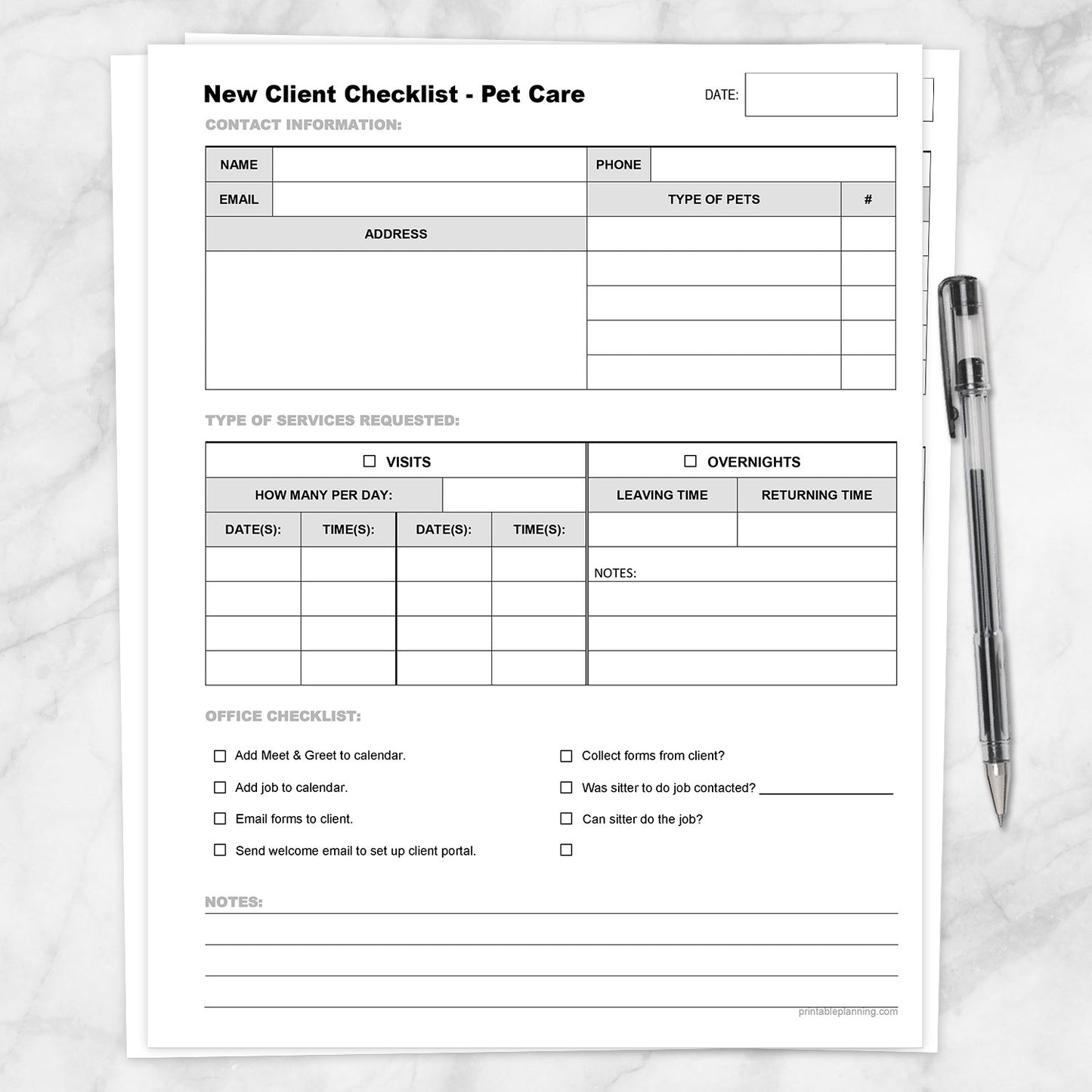
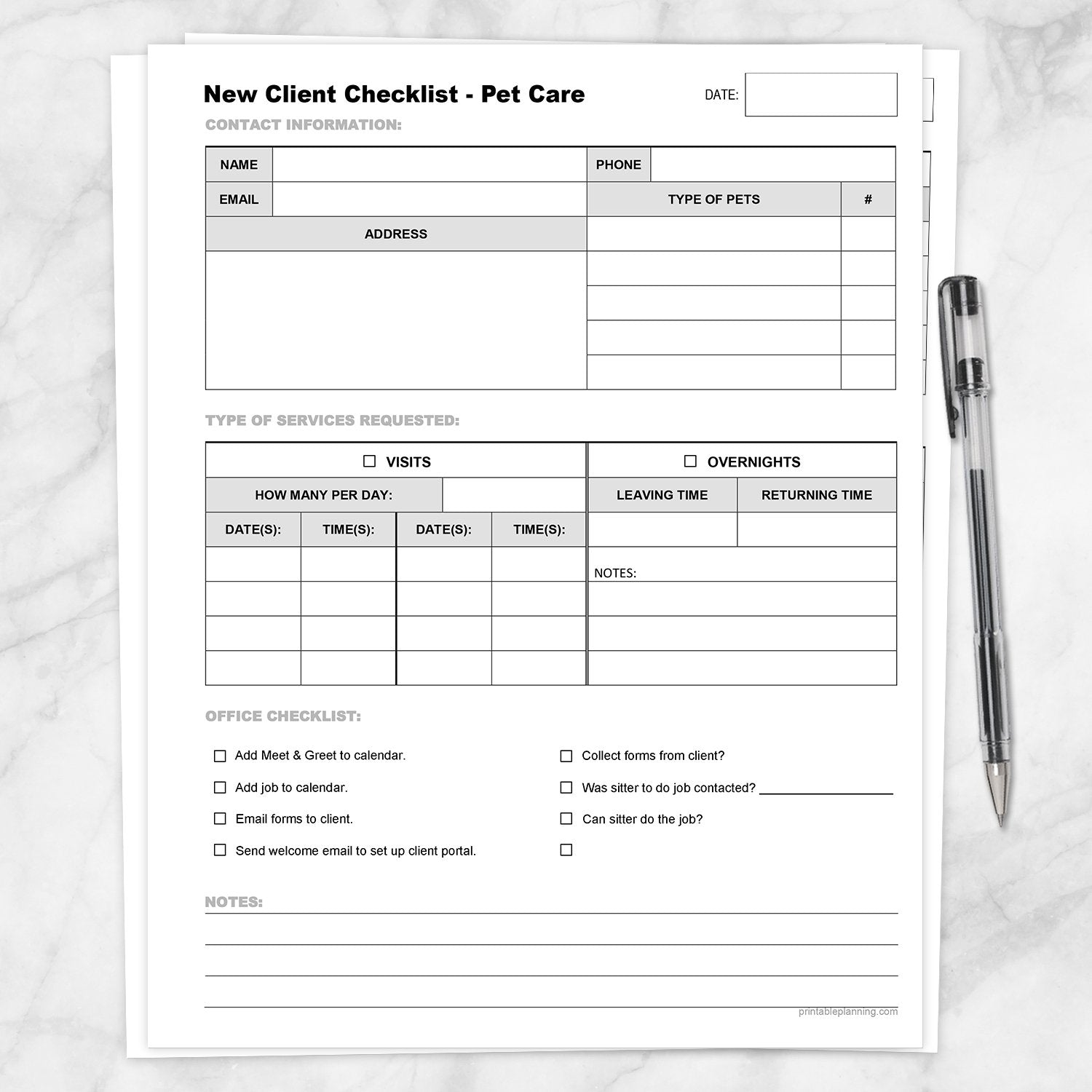
Prepare new pet sitting jobs that may include scheduled visits, overnight care, or a combination of both with this Pet Sitter New Client Checklist for Visits and Overnights. The one-page form keeps client contact information, household pet details, requested services, office tasks, and notes together during the onboarding process.
This version is designed for pet care businesses that offer more than drop-in services. It includes separate areas for visit scheduling and overnight-care details, plus an editable Office Checklist that can be customized to match your own administrative workflow.
Record New Client and Pet Information
- Client Contact Information: Add the client’s name, phone number, email address, and home address.
- Household Pets: List up to five types of pets and the quantity of each.
- Form Date: Record when the inquiry, consultation, or client setup began.
Identify the Services Requested
Check whether the client is requesting Visits, Overnights, or both. Keeping the two service types on the same page provides a quick overview of what the client needs before the job is added to your business schedule.
Plan Scheduled Pet Care Visits
The Visits section includes a field for noting how many visits are requested per day, followed by spaces for dates and times.
Use this area for services such as:
- Drop-in pet sitting visits
- Dog walking appointments
- Feeding and water visits
- Medication or wellness check-ins
- Daytime care visits
- Other scheduled pet care services
Document Overnight-Care Details
The Overnights section provides dedicated fields for the client’s leaving time and returning time. A lined notes area gives you space for supporting information related to the overnight request.
Use the notes area for preliminary scheduling details, questions to confirm, arrival expectations, or other information needed before the service is finalized.
Customize the Office Checklist
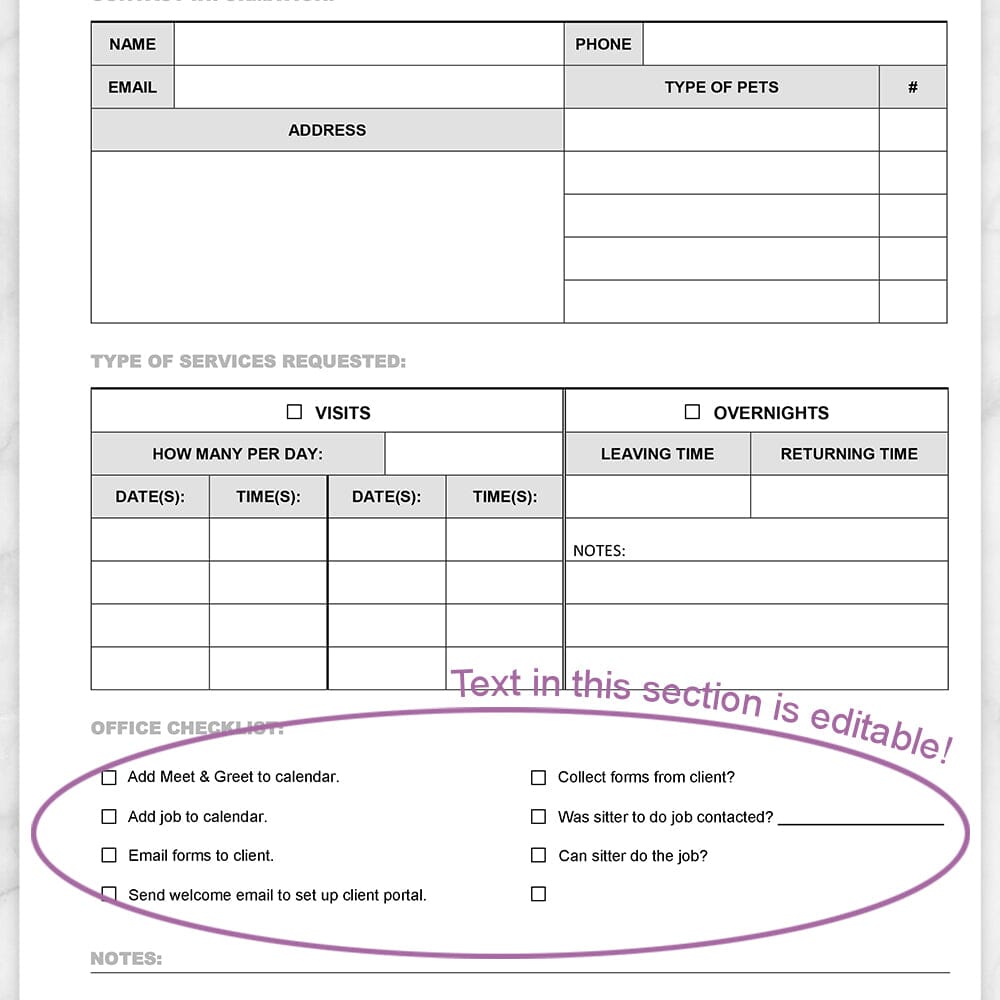
Eight checkbox lines are included for the administrative steps involved in setting up a new client and assigning the job.
Sample checklist items shown on the form include:
- Adding a meet-and-greet to the calendar
- Adding the job to the calendar
- Emailing forms to the client
- Sending a welcome email or setting up a client portal
- Collecting completed client forms
- Contacting the sitter assigned to the job
- Confirming whether the sitter is available
The Office Checklist wording is editable. Replace the sample text with the onboarding, scheduling, communication, or assignment steps used by your own pet care business. Edit this section before printing.
Fonts, font sizes, colors, checkboxes, and the overall page layout remain fixed as shown. Adobe Acrobat Reader or another PDF application with comparable form support is recommended for editing the designated fields.
Useful for Pet Sitting Businesses
- Independent pet sitters
- Pet care companies offering visits and overnight stays
- Dog walking and drop-in service businesses
- Pet care managers and office staff
- Businesses assigning jobs to multiple sitters
- New client inquiries and consultations
- Pet sitting job setup and scheduling
- Paper-based client onboarding systems
Keep Preliminary Notes with the Client Record
The full-width Notes section at the bottom can be used for questions, reminders, follow-up needs, scheduling concerns, or other information gathered while speaking with the client.
This gives your office or pet sitter one place to review the basic job request before relying on separate client agreements, pet care instructions, emergency forms, and veterinary information.
Binder-Friendly Business Record
The form is offset toward the right side of the page to leave extra space along the left edge for a standard three-hole punch.
Print one page for each new client and store completed forms in a pet sitting business binder or secure client file. Records may be organized alphabetically, by requested service date, or by active client status.
How to Use
- Enter the form date and the client’s contact information.
- List the types and number of pets in the household.
- Mark Visits, Overnights, or both service options.
- Add the requested visit frequency, dates, and times.
- Record the leaving and returning times for overnight care.
- Customize the Office Checklist wording (before printing) for your business if needed.
- Check off onboarding and scheduling tasks as they are completed.
- Add questions, reminders, and additional details in the notes areas.
- Store the completed page securely with the client’s business records.
Product Features
- One-page new pet care client checklist
- Client name, phone, email, and address fields
- Space for up to five pet types and quantities
- Visits and Overnights service checkboxes
- Field for the number of visits requested per day
- Date and time fields for requested visits
- Leaving and returning time fields for overnight care
- Lined overnight notes area
- Eight-line editable Office Checklist
- Full-width notes section
- Date field at the top
- Extra left margin for three-hole punching
- Print additional copies for new clients as needed
Specifications
- One printable PDF page
- US Letter size: 8.5 x 11 inches
- Portrait orientation
- Black, white, and grayscale design
- Designated Office Checklist wording is editable
- Fonts, formatting, colors, checkboxes, and layout remain fixed
- Adobe Acrobat Reader or comparable PDF software recommended for editing
- Suitable for a standard three-ring business binder
- Print at home or through a local printing service
Find more printable pet care, caregiver, health, and household recordkeeping forms in the Caregiver, Health, and Housekeeping Forms collection.
Please note: This is a digital product. No physical item(s) will be shipped. Binder, paper, writing tools, client folders, pet supplies, and display items are not included.
This printable is intended only for business planning, organization, and recordkeeping. It does not replace client contracts, veterinary instructions, medication directions, emergency plans, insurance requirements, legal documents, or professional pet care guidance.
Terms of Use & License Info
Terms of Use & License Info
Thank you for choosing Printable Planning! I truly hope you enjoy and get great value from the printables offered here. Below are the Terms of Use that apply to any files purchased from Printable Planning.
Please read carefully before purchasing or using your files.
Terms of Use
- Each purchase includes a single-user license. Your files are for personal use only by the individual who purchased them. Sharing, distributing, or gifting your files to others is not permitted.
- These printables may be used within your own small business or workspace to help you stay organized. However, you may not share the files with other team members or staff. If multiple people need to use the files, please purchase additional copies accordingly.
- If you would like to share a product with a friend, colleague, or audience (such as in a blog post or on social media), please link directly to the product listing on Printable Planning. Do not share the file itself or upload it to any platform.
Prohibited Uses
- You may not sell, redistribute, copy, alter, or share the digital files or printed materials derived from them.
- Files may not be edited, modified, or used to create derivative works for resale or distribution.
- Commercial resale or redistribution in any form is strictly prohibited. These products are for personal use only.
- Uploading files or designs to any file-sharing site, marketplace, or AI software for training, distribution, or resale is not allowed.
Can I share with my household or coworkers?
- You may print files for your personal use or within your own household.
- For teams or businesses: each individual using the files must purchase their own copy. Please purchase one per user.
Violation of these terms may result in loss of access to future purchases and/or legal action. We work hard to provide affordable printables and rely on your honesty and integrity to keep this small business going. Thank you for supporting a small, independently run shop!
Terms are subject to change at any time without prior notice.
Need a PDF Reader Application?
Need a PDF Reader Application?
Download Adobe Reader here: get.adobe.com/reader or download it from your mobile device's app store.
It is a free download with Adobe. To download the free version, do not upgrade to DC or Pro.
Printable Planning is not affiliated with Adobe.